| FTCS(SS) Gerald Plotts USN Retired |
|
|
|

|
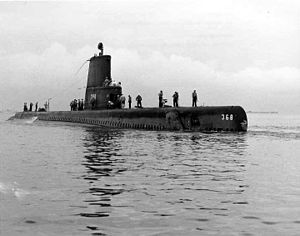
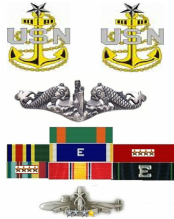
United States Navy 1968-1989. Proud member of the Navy's Elite Submarine Force providing a strategic deterrent to cold war aggression. I served on the USS Jallao (SS368), USS Kamehameha (SSBN 642 Blue and Gold), USS Andrew Jackson (SSBN 619 Blue), and USS George C. Marshall (SSBN 654 Blue). I entered the Navy as a Torpedoman, and Retired as a Senior Chief (E8) Fire Control (Missile) Technician.
After retiring from the Navy, I worked for General Dynamics/Electric Boat in Groton, CT for 10 yearsas a network analysis Engineer and Interactive Trident Training Course ware Developer, then went to work as a Computer Systems trainer at Pfizer, Inc. I finally finished my working career as a Database administrator at Pratt and Whitney in Middletown CT. Additionally, from 1998-2008, I served as an assistant Pastor in several local churches here in South East Connecticut.
I'm now fully retired and living in Ledyard, CT with my wife Terry and enjoying life to the fullest. If you want to contact me, email me at jerryplotts AT yahoo DOT com.
After retiring from the Navy, I worked for General Dynamics/Electric Boat in Groton, CT for 10 yearsas a network analysis Engineer and Interactive Trident Training Course ware Developer, then went to work as a Computer Systems trainer at Pfizer, Inc. I finally finished my working career as a Database administrator at Pratt and Whitney in Middletown CT. Additionally, from 1998-2008, I served as an assistant Pastor in several local churches here in South East Connecticut.
I'm now fully retired and living in Ledyard, CT with my wife Terry and enjoying life to the fullest. If you want to contact me, email me at jerryplotts AT yahoo DOT com.
MY Flight Deck for Flight Simulation
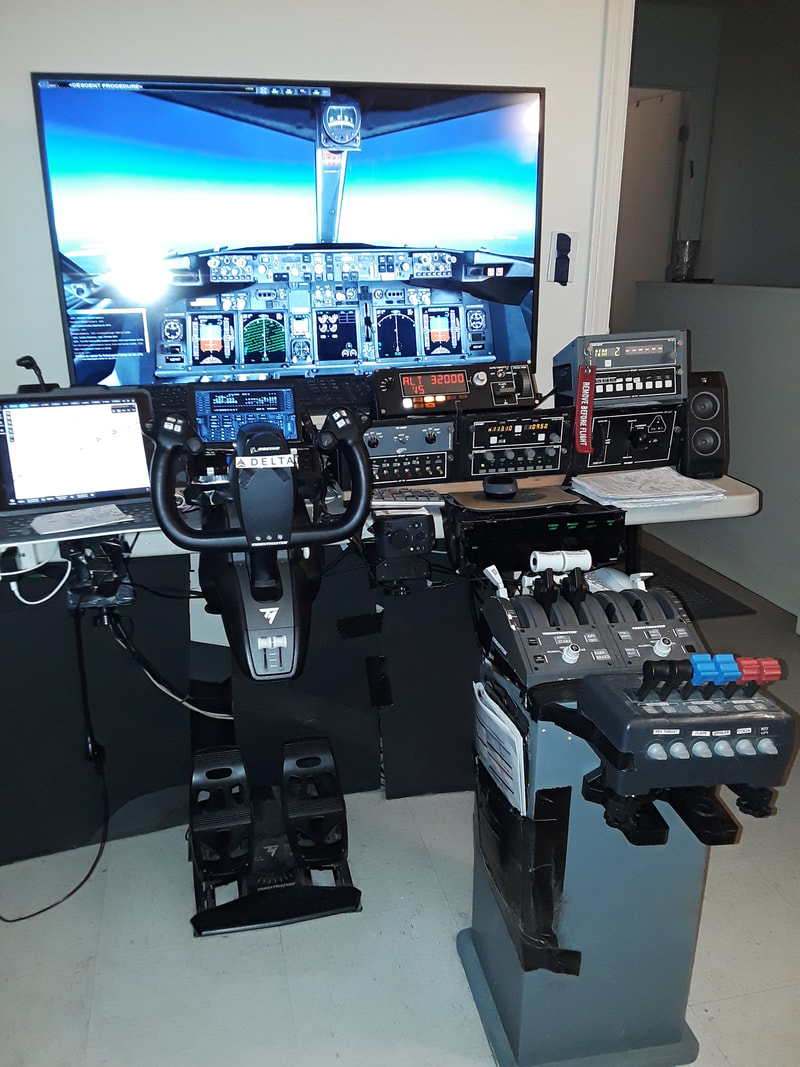
The main flight computer. Designed as a Boeing B737-800 NGX aircraft. Complete with functional overhead panel. and precision throttles. The yoke is from Thrustmaster. It is the TCA yoke available from amazon. It's uses a pendulum motion, instead of straight in/our as in the CH and Saitek yokes. The rudder pedals are also from Thrustmaster, as is the Throttle controls. I have to use two of these in order to have the Flaps and Speed Brake controls.They are available from Amazon as well.
___________________
This computer about 20 USB devices connected. The overall goal is to operate as much of the pre-flight, flight, and shutdown as possible without using the keyboard or the mouse.
___________________
This computer about 20 USB devices connected. The overall goal is to operate as much of the pre-flight, flight, and shutdown as possible without using the keyboard or the mouse.
|
Helicopter and Small Plane Flight Deck
|
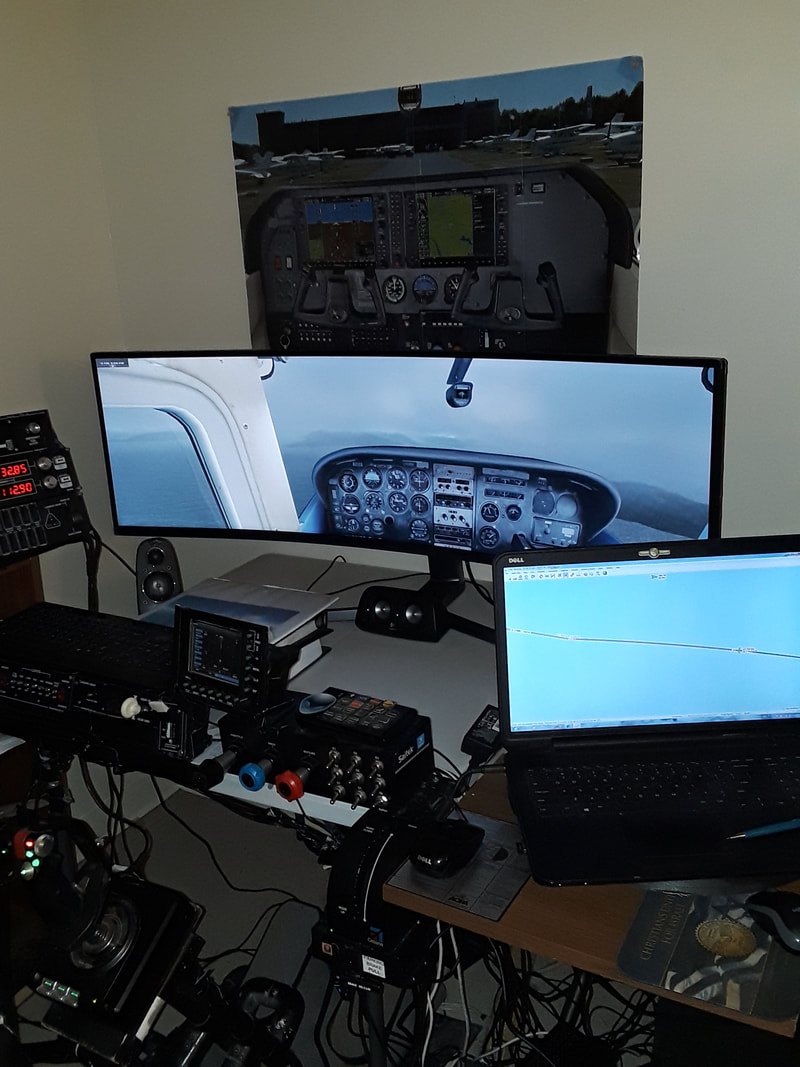
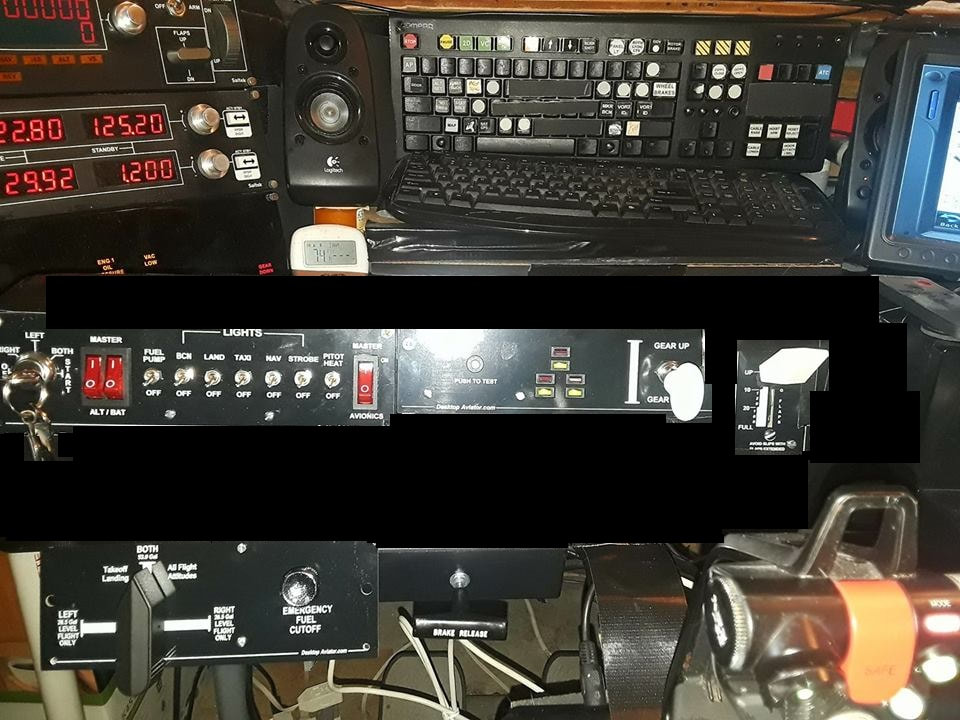
The Helo and small airplane Computer is an Alienware with 8GB ram, 1 TB of hard drive space. The Monitor is a 49" curved display. My video card is a nVidia GTX 645 with 1GB. This allows 3840 x1050 resolution display. A laptop is connected via WideFS and displays LittleNavMap (Flight Map tool) GPS, or whatever I need) on the monitor to the left of the double screen. In the lower picture you can see the additions from Desktop Aviator. The Cessna Combo panel, the Landing gear, flaps, parking brake, and fuel select panels. Makes flying the Cessna or other small aircraft very realistic.
|
|
From Roger Dodger Aviation - Floor unit with Collective & Center Control Stand
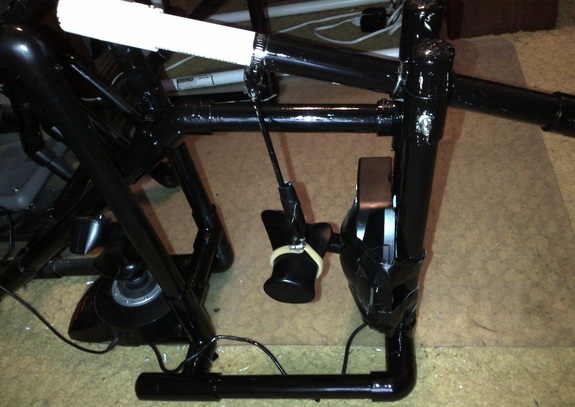
Thanks to Matt Thomas of Roger Dodger Aviation for the plans for these great project to make the sim more immersive!
Click on the picture for more information on how to get the plans for this project.
Click on the picture for more information on how to get the plans for this project.
The Cyclic & Collective for Helos, and throttle control for fixed wing flight
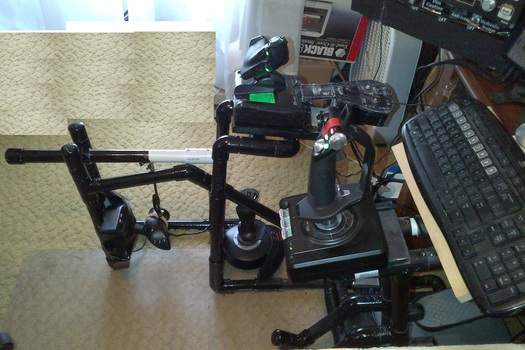
This picture shows the throttle stand as well as the Collective control and the Center mounted Cyclic control. All made with 1" PVC pipe. The Collective is the Thrustmaster HOTAS Flight Stick that has a detachable throttle. I'm not using the joystick part of it, so it's sitting on the floor just in front of the Collective control. The Cyclic and additional throttle is a Thrustmaster HOTAS Dual throttle Warthog which can be used as a cyclic and collective. Mounted above the radio panel is a Saitek Engine control panel, This enables me to control fully a single engine aircraft like the C172.
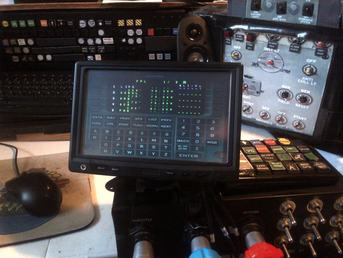
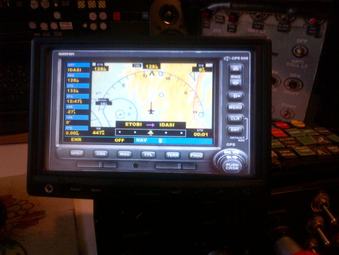
Added this 7" LCD monitor. This will enable me to put the FMS or GPS onto the display and still run FSX in full screen. This monitor once had life as a DVD player screen for a car. I got for about $80 on amazon. I run it at 1280x720 from a HDMI connector on the pc which is perfect for this application. The left picture is the FMS in the Majestic Dash8 Q400, and the right picture is the standard GPS500 with the Airbus 321.
|
|
Flight Deck
Attached to the computer are over 20 USB devices including: Saitek Autopilot, GoFlight T8, P8, GF166, RP48, GF46 and Landing Gear/Flaps modules. Also the Go Flight MESM to the left of the radio. A Saitek Backlit Information Panel, and the Saitek Flight Informaton Panel. The display above the yoke displays the FMC for my 737 Flights.
A laptop computer is connected to this main computer and reads LittleNavMap data via WideFS and flight information for AACARS Program. There is a 5 speaker surround sound with 200 watt sub-woofer attached for great sound. Not seen in the picture is a 10.2" IPAD that displays the current flight track, approach plates, and flight data.
A laptop computer is connected to this main computer and reads LittleNavMap data via WideFS and flight information for AACARS Program. There is a 5 speaker surround sound with 200 watt sub-woofer attached for great sound. Not seen in the picture is a 10.2" IPAD that displays the current flight track, approach plates, and flight data.
Real early version of flight deck
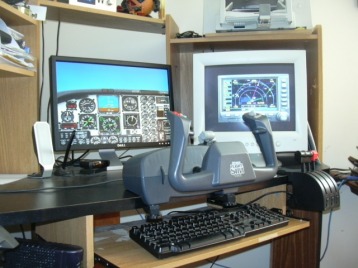
This is around the spring of 2007 when I first got started with the idea of expanding the flight deck. A CH Products yoke and pedals, with a Saitek Throttle quadrant. The main display was a 20" LCD monitor and a 19" tube monitor to the right. It was rudimentary, but it started me to where I am today!
This is the way it was when I started in 1984
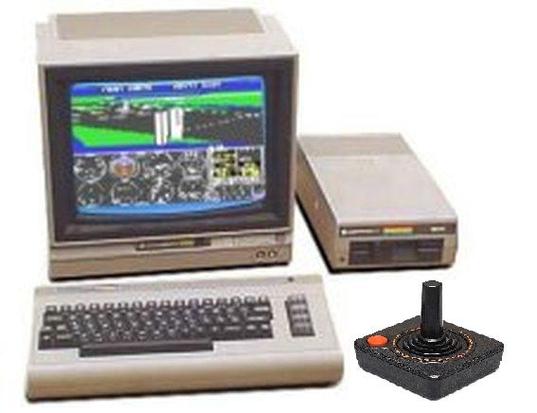
A Commodore 64 computer, color TV 13", and 5 1/4" floppy drive. This was about a $600 investment at the time. I used the Sublogic Flight Simulator which was on a single 180K floppy disk. How things have changed. Now Flight Simulator X is on 3 DVD's and you can't even buy one for less than about $200.
